AI Lesson Creation for Nearpod
The Problem
Teaching is a notoriously time-constrained job.
The Solution
Teachers input a short prompt and in turn, receive an AI-generated lesson. They never have to start from scratch again; interactive lessons, quizzes, and gamified experiences are instantly generated.
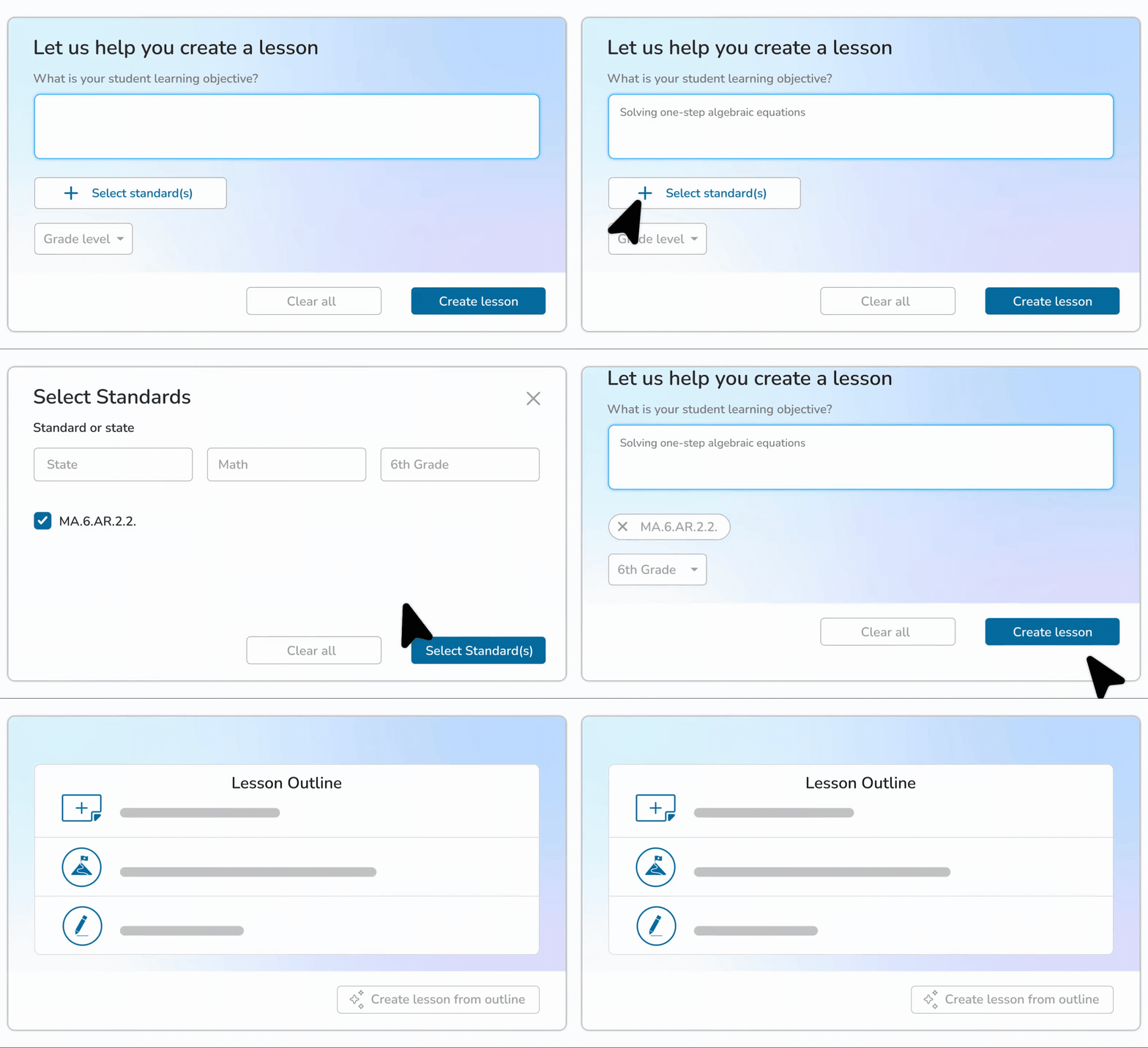
Outcomes
• Reduced teacher content creation time by 30%
• 25% feature adoption rate
Design Considerations
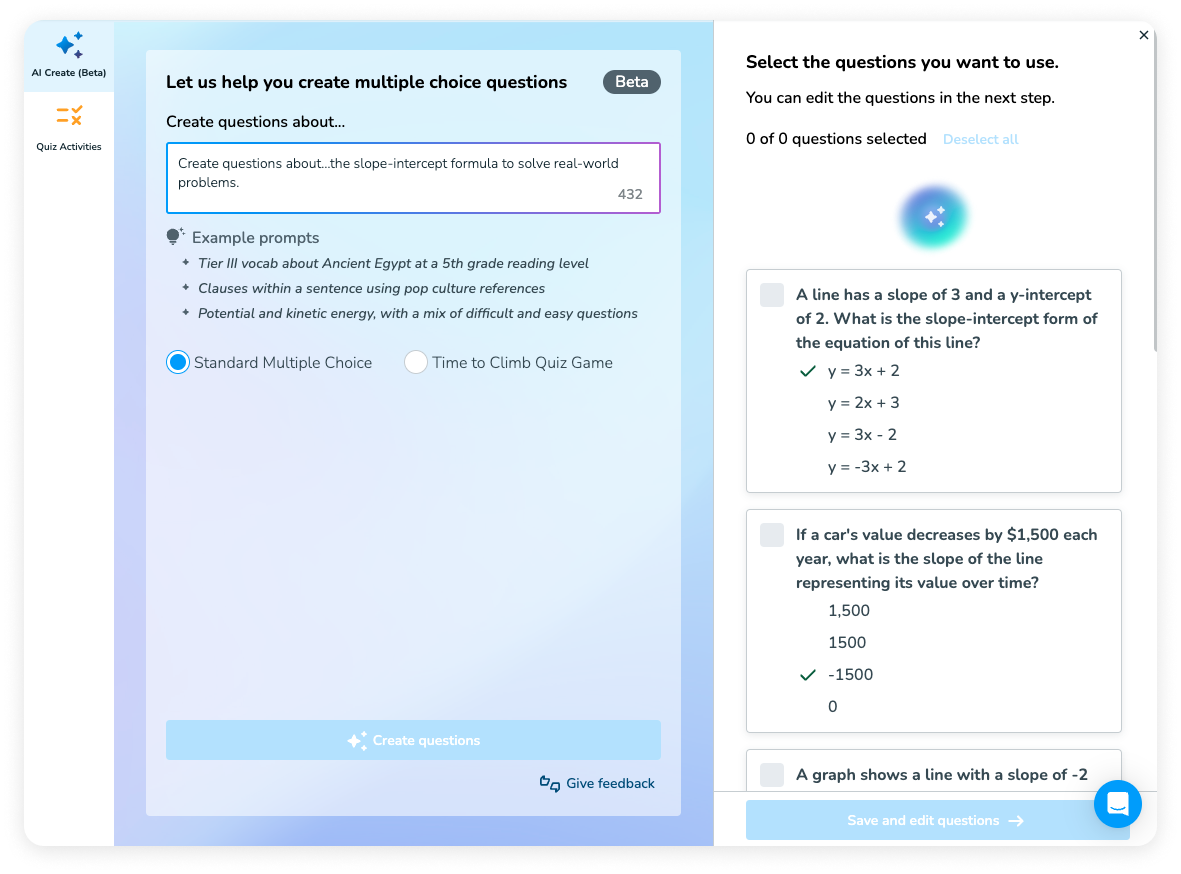
• I wanted to ensure teachers knew the types of things they can ask for, so I included multiple example prompts below the text field to get them started.
• I included a feedback mechanism so we could be made aware of any problems that might arise in the AI outputs.
• Common design patterns for AI include gradients and the sparkle icon, so I included those as signifiers that this feature is AI-powered. It’s important that teachers know this is powered by AI and they should review the output to ensure accuracy. We also included a short disclaimer indicating this.
• Loading is indicated by a visually-appealing gradient + sparkle animation to further brand the experience as being AI-powered.
• Instead of presuming that teachers would want to use all of the generated questions, we let them select their favorite ones to use.
• Nearpod is well-loved for our “Time to Climb” quiz game, so I suggested we also allow teachers to use the questions for that game instead of just a standard quiz.
• Unreviewed slides have a blue badge to indicate that you have not yet viewed that slide. AI-generated slides have a sparkle icon indicator. This set us up for success for a planned future iteration, where teachers can use AI to add slides to an existing lesson. When that feature is ready, it will be important to be able to distinguish reviewed / unreviewed / AI-created slides from each other.